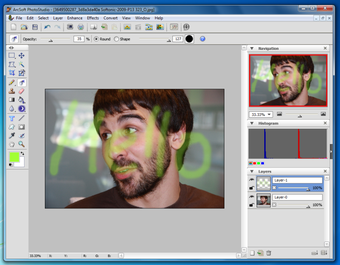
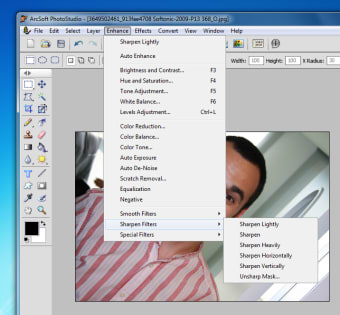
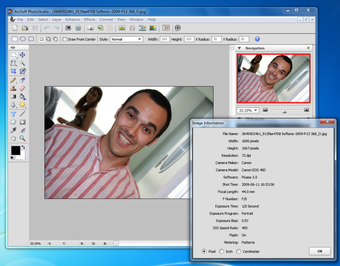
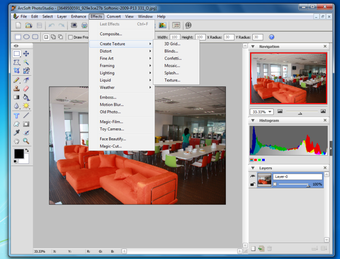
This impressive photo editing tool enables you to fix and enhance your photos in a couple of clicks, and also add a few original special filters and effects that can turn a dull shot into a really creative piece of photography. Plus, ArcSoft PhotoStudio works with all major formats, including RAW files from high-quality digital cameras.
If you've seen Photoshop, you'll be familiar with ArcSoft PhotoStudio. It doesn't feature as many tools and options, that's true, but if you've ever used Adobe's big shot, you'll immediately feel comfortable with ArcSoft PhotoStudio's interface, utilities and even keyboard shortcuts.
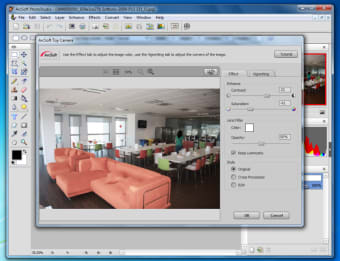
ArcSoft PhotoStudio supports layers and macros, includes a wide variety of editing and drawing tools, and even features special retouching effects that can do things such as age your photo, make close ups of faces more beautiful, add frames and modify lighting.
ArcSoft PhotoStudio makes it easy to edit your photos, while also providing access to fun masks and effects. This makes it an all-round good bet.
Jaw-dropping colors and details with HDR
Includes smart editing tools
Supports RAW format
Mireia Fernández has over a decade of experience as an editor, with a focus on software reviews, tutorials, and gaming guides. Her background in technology and long-standing passion for video games shape her clear and practical style when analyzing tools and trends.
Pros
Lots of tools to edit, fix and enhance your photos
ArcSoft Photostudio 6 is a cost-effective program that offers a fairly good library of photo-editing and creative tools, filters and special effects.Beginners will appreciate the straight-forward design, while advanced users will love the performance and control. The program includes everything you need to manage, enhance, print, and get creative with your digital photos!
Main features:
1. Provides advanced photo editing tools, filters, and special effects
2. Supports RAW format and large image files for importing and editing
3. Extracts an object easily from its background with Magic-Cut
4. Add incredible detail, colors, and clarity with HDR
ArcSoft PhotoStudio has long been recognized as a cost-effective alternative for correcting, manipulating and using your photos in a variety of creative ways. With the introduction of PhotoStudio 6, ArcSoft upholds that reputation while adding some high-powered features and increasing the program's versatility.
Both begginers and professionals who want a cost-effective photo editing program but with a fairy good library of editing tools will love ArcSoft PhotoStudio 6.
Very old program. They literally had decades to implement transparent file exports, but they could not.
Anonymous user
I have been using ArcSoft PhotoStudio since 1999, and it is simply the best
Anonymous user
The program is so easy to use, and have a lot of functions so you can create almost whatever you like.
Anonymous user
What happened to ArcSoft. It was wonderful. From one day to the next it stopped working. I downloaded an updated version but now I get messages saying Twain doesn't work. I use it for scanning photos, negatives and slides. I'm lost without it.
Anonymous user
Don't bother - can't upgrade, won't register.... Great program, but the company is useless at any type of support. Either just plain won't respond, or links lead to 404 Errors. Pros: Easy to useDoes most of what you need Cons: Can't upgrade to paidCompany support is non-existent
Anonymous user
Craft essential. great for cardmaking so easy to use. I often make my own background papers in cardmaking and have found this an essential piece of softwear to crop portions of a picture/topper I am going to use, I save to my pictures then use it with my graphic pack or my cardmaker3 softwear. Pros: only softwear I have found I can use for my cardmaking needs Cons: because my hands are a bit shaky I have to draw round with the cropper a few times befor I am happy with the results
Laws concerning the use of this software vary from country to country. We do not encourage or condone the use of this program if it is in violation of these laws. Softonic may receive a referral fee if you click or buy any of the products featured here.